
Screenshots
App details
- Updated
- Feb 23, 2012
- Language
- Spanish,English
- Developer
- SmartSound Software, Inc.
- Category
- Mobile
SoftPas in:
This product is also available in the following languages:
About Sonicfire Pro
Download Sonicfire Pro – video editing software, music library, audio tracks, video production tool, video enhancement, beginner video editor
Overview
Sonicfire Pro is a dedicated video editing tool designed to support both novice creators and experienced editors in enhancing their visual content through high-quality audio integration. At its core, the application serves as a bridge between video footage and professional-grade sound, offering a structured environment for adding music and sound effects to video projects. It addresses a common challenge in video production: the difficulty of finding suitable audio that matches mood, pacing, and theme. By providing a curated library of audio tracks, Sonicfire Pro streamlines the process of aligning sound with visuals, making it easier to produce polished, engaging content.
The software targets a broad audience, including independent filmmakers, content creators, educators, and students learning video editing techniques. Its emphasis on accessibility and ease of use makes it especially valuable for beginners who are still developing their workflow. For professionals, the availability of a pro license supports commercial use, which is essential for monetized content or public distribution. The application’s long-standing presence in the market, with a release date of February 23, 2012, reflects its enduring relevance in the video production ecosystem.
Although the developer did not provide additional technical details about the company’s background or mission, the consistent release of updated content suggests a commitment to user engagement and content freshness. The program’s role as a training aid is notable—users can experiment with audio synchronization and editing techniques in a low-pressure environment, building confidence and skill over time.
Key Features & Functionality
- Extensive Audio Library: Sonicfire Pro offers a continuously updated collection of music and audio tracks, ensuring users always have access to fresh, high-quality content tailored to various video genres and moods.
- Pro License for Commercial Use: A premium licensing option enables legal use of audio in public or monetized videos, making it suitable for creators aiming to publish content beyond personal or educational contexts.
- Monthly Content Updates: The library receives regular monthly updates, introducing new tracks that reflect current trends and user preferences, helping maintain creative relevance.
- Beginner-Friendly Learning Path: Designed as a training tool, the software allows users to experiment with audio integration without requiring advanced technical knowledge, supporting skill development in video editing fundamentals.
- User-Friendly Interface: The intuitive layout simplifies navigation through audio assets, enabling quick selection and seamless integration of music and effects into video projects.
For example, a student creating a school presentation can use the software to pair a dramatic track with a historical reenactment clip, instantly elevating the production value. Similarly, a content creator preparing a vlog can select a lighthearted track from the library to match the tone of their footage. The ability to experiment with different audio pairings without complex setup encourages creative exploration and helps users understand the impact of sound on storytelling.
Interface, UX & Performance
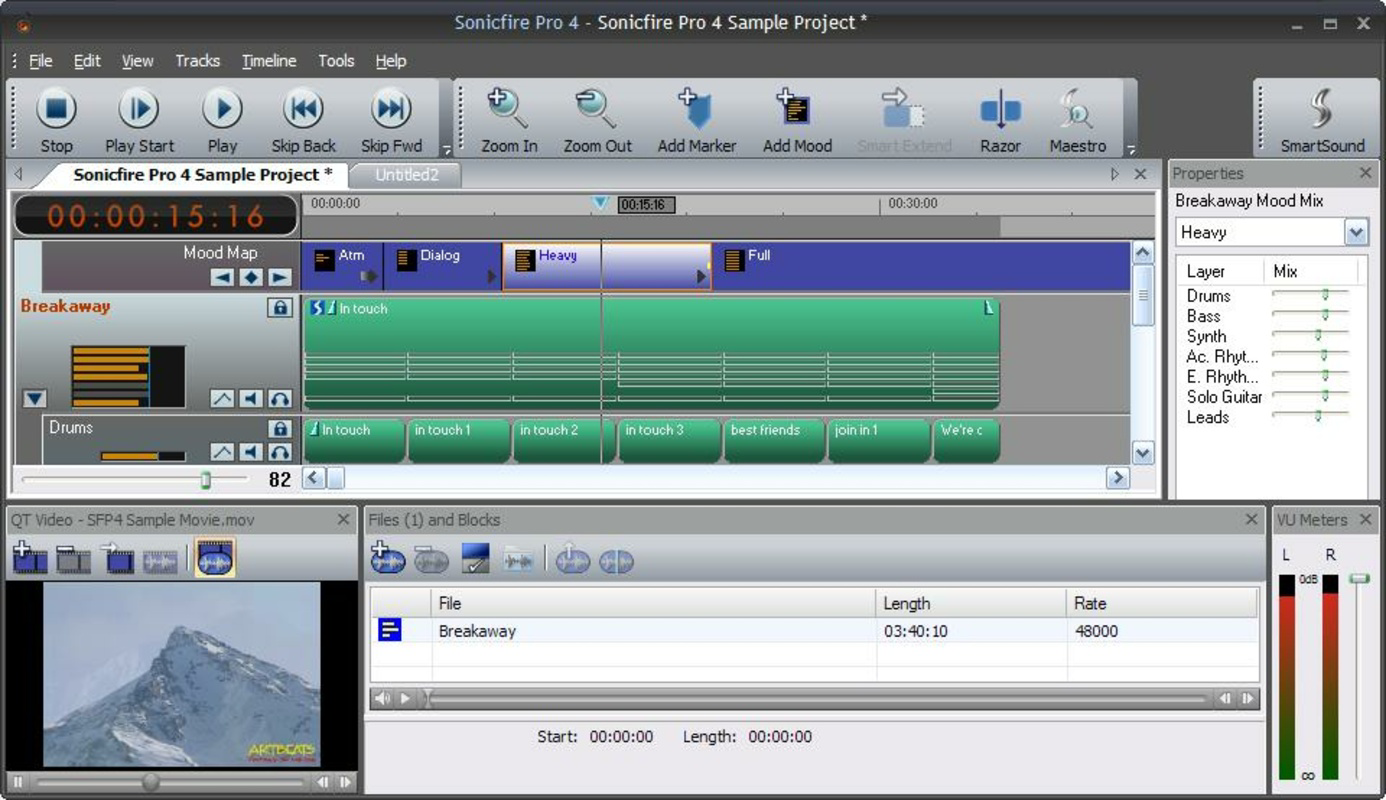
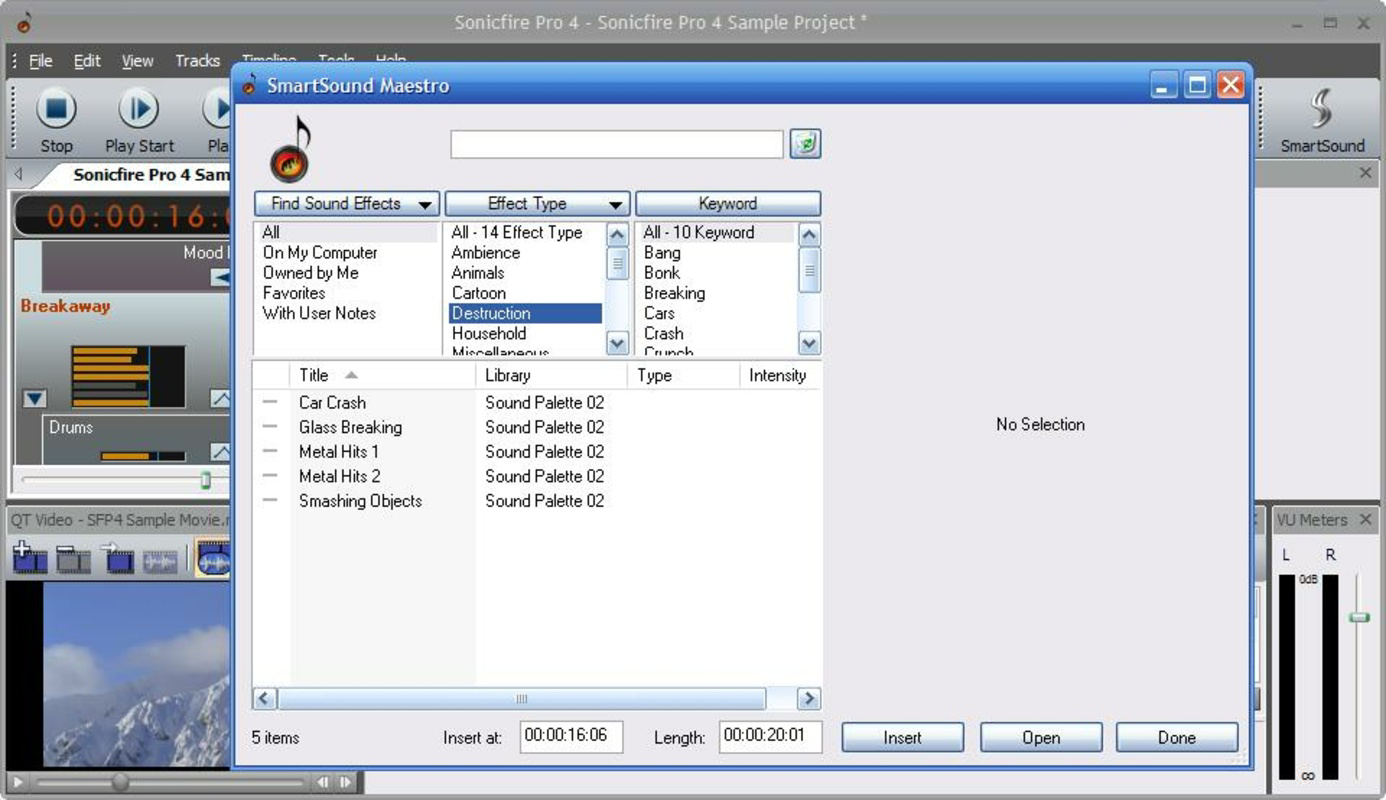
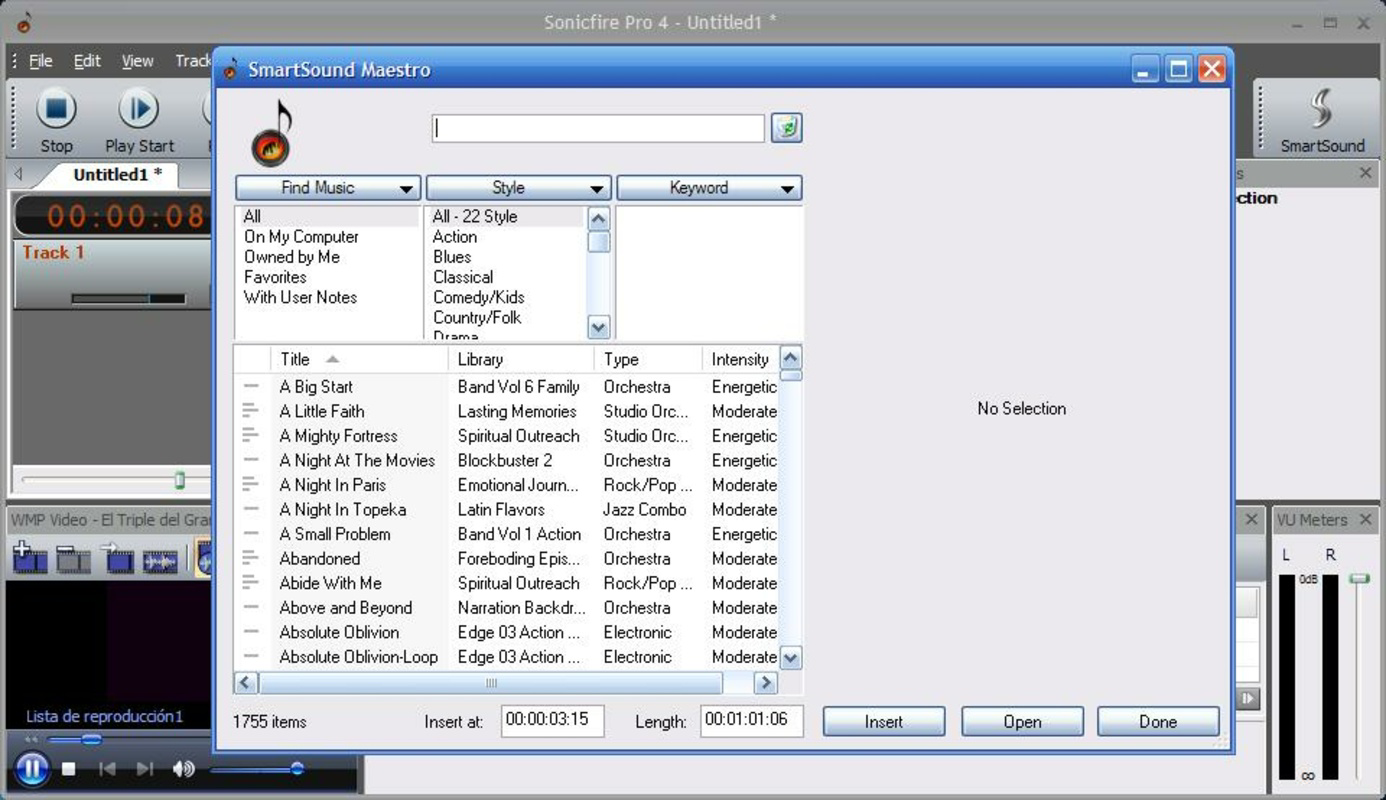
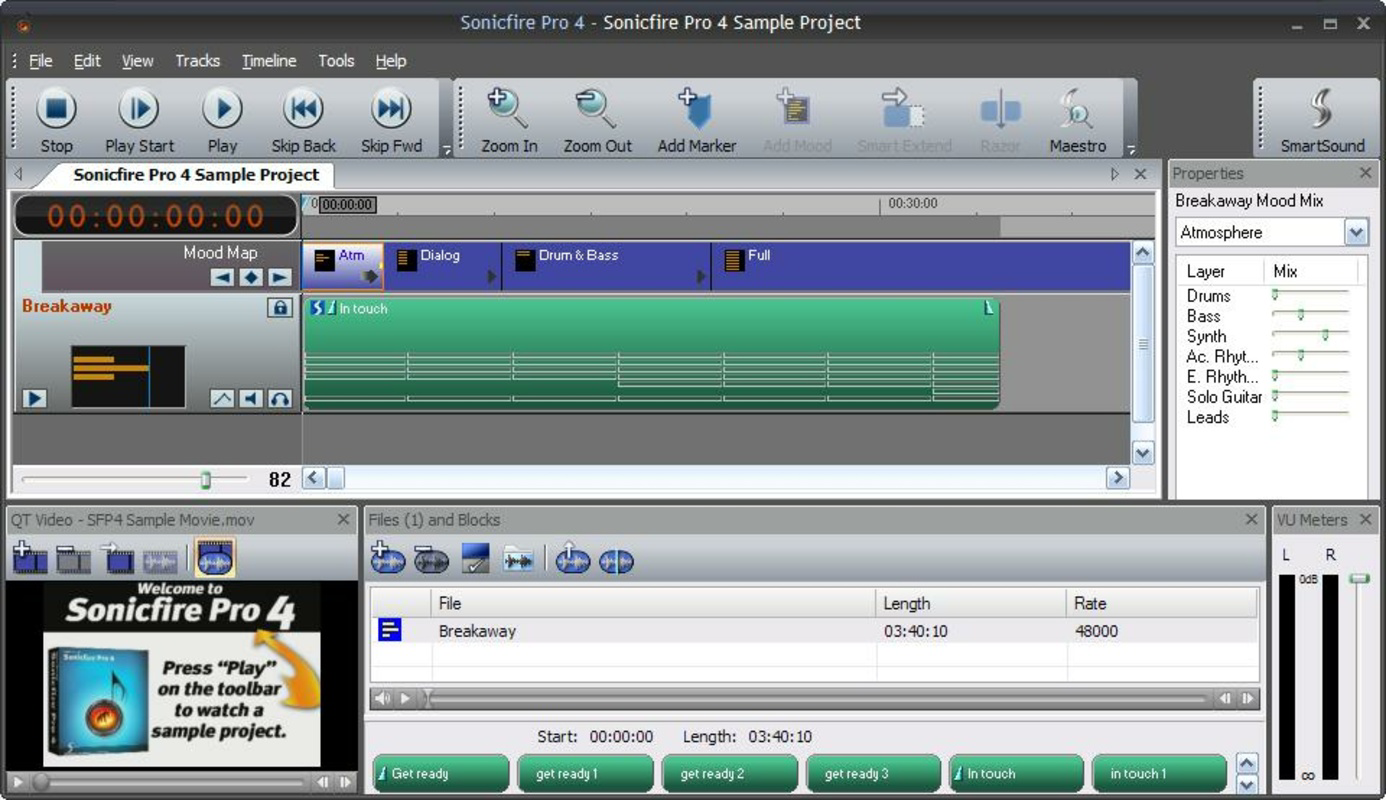
Sonicfire Pro features a clean, organized interface that prioritizes accessibility and workflow efficiency. The layout is structured to allow users to browse audio tracks by genre, mood, tempo, or duration, reducing the time spent searching for the right fit. Navigation is straightforward, with clearly labeled sections and consistent visual cues that guide users through each step of the editing process.
The user experience is further enhanced by a responsive design that adapts to different screen sizes, though specific device compatibility details were not disclosed. Although the developer did not list formal performance metrics, the application’s lightweight footprint of 100 MB suggests efficient resource usage, which may contribute to smooth operation across a range of Windows systems. Stability appears to be maintained, as the software has remained in use since its 2012 release, indicating a reliable foundation.
Users can expect minimal lag during track selection and integration, particularly when working with shorter clips. However, performance on older or lower-end hardware may vary, as no specific system requirements were provided. The software does not appear to rely on constant internet connectivity for core functions, which supports offline editing and reduces dependency on network conditions.
Platform Compatibility & Technical Requirements
Sonicfire Pro is designed for the Windows operating system, making it accessible to users on desktop environments. The current version is 1.0.0, with a file size of 100 MB, indicating a compact and efficient installation package. While the application is optimized for Windows, the developer did not specify minimum OS requirements, such as Windows 7, 8, or 10, nor did they list processor or RAM specifications.
Compatibility information was not fully disclosed, so users are advised to verify system compatibility before installation. The lack of detailed technical requirements means that installation on newer or legacy systems may require testing. Additionally, no information was provided regarding support for tablet or hybrid devices, or whether the software is available on other platforms such as macOS or mobile devices.
Pros and Cons
Pros
- Extensive and regularly updated audio library supports diverse creative needs.
- Pro license enables legal commercial use of tracks, ideal for content creators.
- User-friendly interface lowers the barrier to entry for beginners.
- Monthly content updates ensure ongoing relevance and freshness.
- Compact file size of 100 MB suggests efficient resource usage.
Cons
- Specific system requirements were not listed, which may cause installation issues.
- Platform availability is limited to Windows only; no mobile or macOS support was confirmed.
- Price point of $99.00 may be high for casual users or students.
- No information on cloud sync, collaboration features, or export formats was provided.
- Developer did not share details about update frequency or long-term support plans.
FAQ
Is Sonicfire Pro available for mobile devices?
The developer did not specify whether Sonicfire Pro is available on Android or iOS platforms. The application is currently designed for Windows desktop systems.
Can I use the audio tracks for commercial projects?
Yes, a pro license is available, which grants legal rights to use the audio tracks in commercial videos, including public or monetized content.
How often are new audio tracks added?
The audio library receives monthly updates, ensuring users have access to fresh and relevant content.
Is Sonicfire Pro free to download?
No, Sonicfire Pro is a paid application with a price of $99.00. There is no free version or trial mentioned in the provided information.
What operating systems does Sonicfire Pro support?
Sonicfire Pro is designed for Windows. Specific OS versions were not listed by the developer.
Final Thoughts
Sonicfire Pro stands out as a focused and purpose-built tool for enhancing video projects with professional-grade audio. Its strengths lie in its curated library, beginner-friendly design, and support for commercial use through a pro license. While the lack of detailed technical specifications and platform limitations may restrict accessibility for some users, its core functionality remains highly relevant for anyone involved in video production.
Those who benefit most are educators, students, and independent creators seeking a reliable, low-complexity solution for audio integration. The software offers a structured path for learning video editing fundamentals while delivering tangible results. Despite its price, the value proposition is clear: a consistent supply of high-quality audio tracks that elevate content quality and storytelling.
Download Sonicfire Pro now
Guides & Tutorials
How to install Sonicfire Pro
- Click the Download button above.
- Once redirected, accept the terms and click Install.
- Wait for the Sonicfire Pro download to finish on your device.
How to use Sonicfire Pro
This software is primarily used for its core features described above. Open the app after installation to explore its capabilities.
User Reviews
No reviews yet. Be the first to share your experience.
You may also like
more
Que no te pillen¡
About !Que no te pillen¡Reviewed by Jason A. BilbreyShow MoreShow Less

3D Combat Zone
About 3D Combat ZoneOriginally released in 1983, 3D Combat Zone immerses players...

666: El día del portal
About 666: El día del portalOn June 6, 2006, Agent P. Stone uncovers a sinister...

80 in 1 Best Flash games
About 80 in 1 Best Flash games 80 in 1 Best Flash games is a collection of 80 fl...

ABYSS SEEKERーーWhat Do You See Deep in The Abyss
About ABYSS SEEKERーーWhat Do You See Deep in The AbyssIn ABYSS SEEKER, players...

ACA NEOGEO THE KING OF FIGHTERS 2002 for Windows
About ACA NEOGEO THE KING OF FIGHTERS 2002 for WindowsTHE KING OF FIGHTERS 2002,...